
Is it worth it?
Yes, when graphic design is part of how you make money. CorelDRAW is strongest for logos, vectors, packaging, banners, catalogs, signage, and repeated commercial material. It makes more sense as a production tool than as a casual experiment.
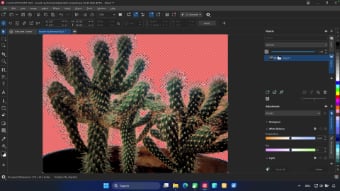
What helps in 2026 is the mix of desktop suite, web version, and AI features for generation, remixing, background removal, and assisted masking. That does not replace skill, but it does speed up work.
Who should buy it
The product is especially strong for graphic designers, quick-print businesses, in-house marketing teams, and companies producing a lot of visual material.
If your main work is software interface design, wireframing, and collaborative product systems, the value is lower. But if the output is commercial graphics and vector work, the proposition remains strong.
- Designers working in logo, branding, print, and vector graphics.
- Businesses producing banners, flyers, covers, and promotional assets often.
- Teams wanting a complete graphics suite with AI support and a web layer.
Confirmed facts
As of March 19, 2026, the official CorelDRAW Graphics Suite 2026 communication highlighted these points:
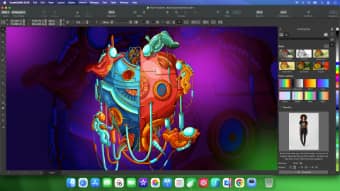
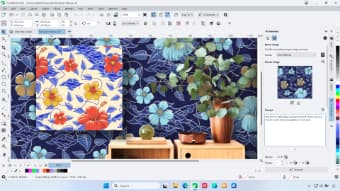
Explanatory images

Pricing and licensing
According to the official announcement checked on this date, the commercial structure looked like this:
Includes CorelDRAW Web and 2,000 AI credits per month for subscribers.
Perpetual license for version 2026 with a one-time allocation of 2,000 AI credits.
A lighter browser offer for simpler tasks, not equal to the full suite.
Strengths and limits
- Very strong for graphic design, branding, print, and vector work.
- Subscription and perpetual purchase give buyers commercial flexibility.
- The 2026 suite is more attractive because of AI and web access.
- It makes sense as a production tool, not just as something to try.
- Occasional use rarely justifies the full purchase.
- It is not the core tool for product UI and interface collaboration.
- AI credits are not unlimited.
- Teams deeply locked into another ecosystem may not want to switch.
If you sell graphic design, CorelDRAW remains a professional purchase. If you only need occasional edits, it is probably too much software.
Quick FAQ
These are the questions that matter most before buying.
Is CorelDRAW worth it for branding and commercial material?
Yes. That remains one of the clearest value areas for the suite.
Should I choose subscription or perpetual purchase?
Subscription is better for updates, web access, and recurring AI. Perpetual purchase suits buyers who want a lasting license.
Are the AI features actually useful?
In the 2026 official messaging, they are tied to practical tasks like generation, remixing, background removal, and assisted masking.