1) What Cloud Pro is (and is not)
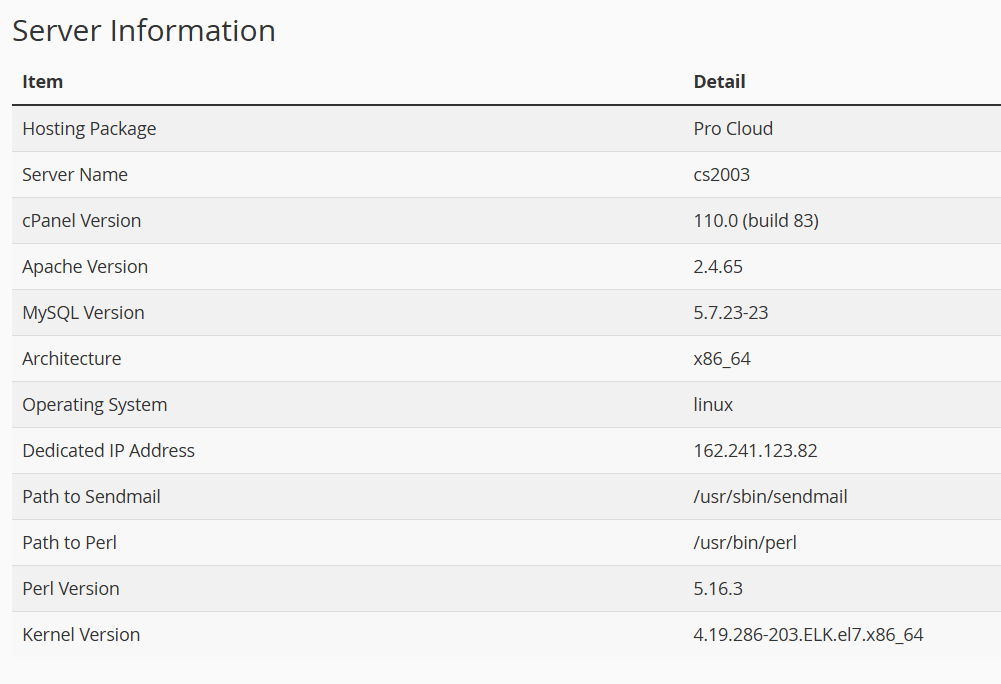
Per support, Cloud Pro operates as shared hosting, with resource management at the service layer, not as hard isolation via virtualization (VPS). That means multiple tenants share the same node and performance can fluctuate with node load and traffic events.
2) Why you can “see” the whole node (and why it’s confusing)
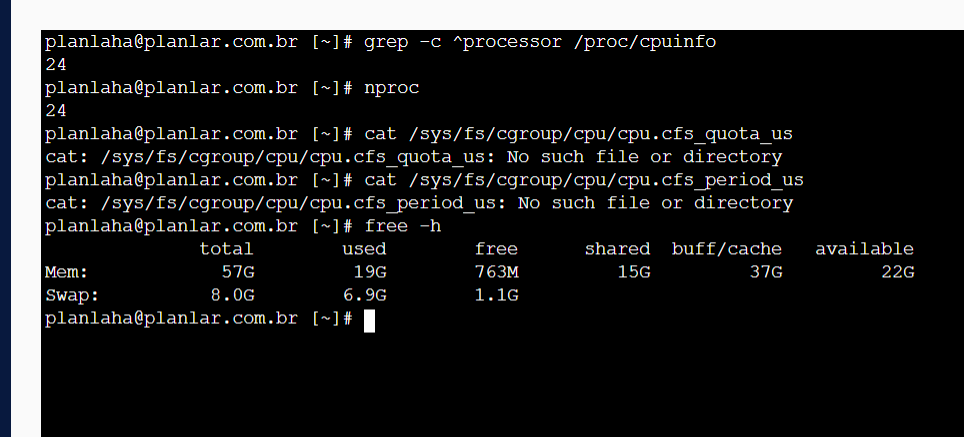
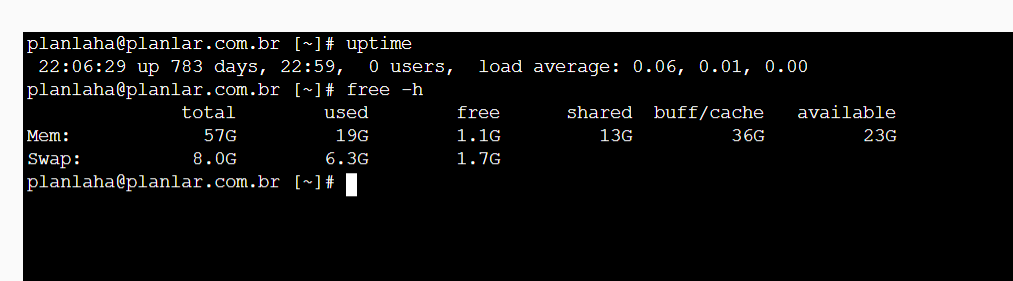
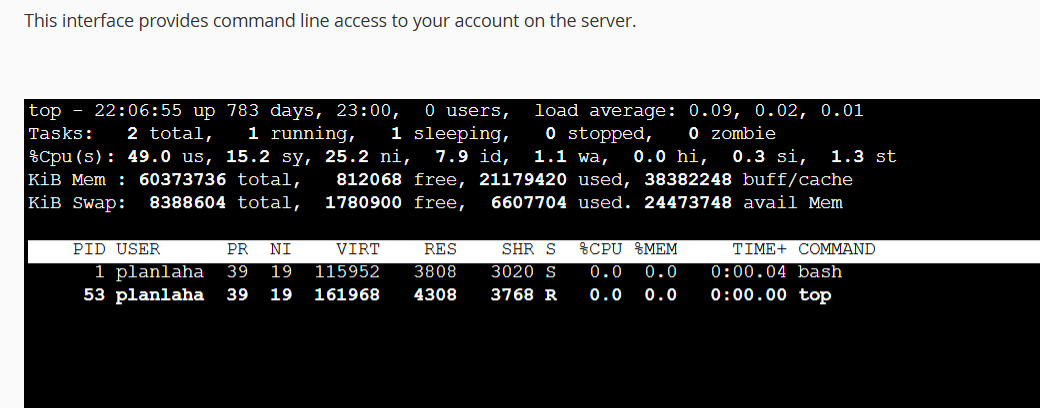
On shared environments it’s common for /proc and standard tools to display host-level CPU/RAM figures. That alone does not prove misrepresentation — but it explains why customers feel “I bought 6/6 yet I see 24 CPUs / 57 GB”.
3) Practical signals that often raise questions (diagnostics)
Common observations:
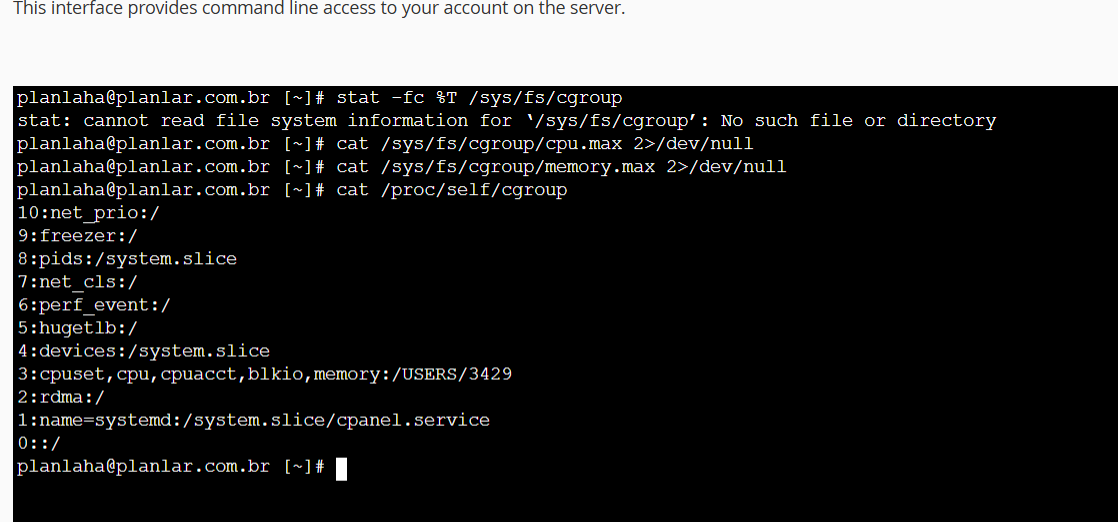
nprocand/proc/cpuinfoshow the node total (e.g., 24 CPUs).- cgroup quota files (
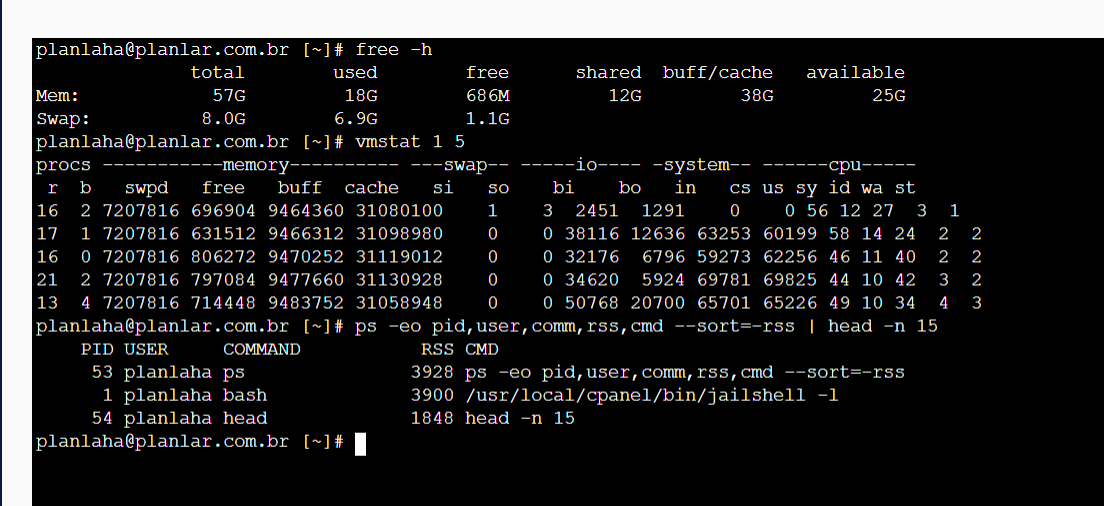
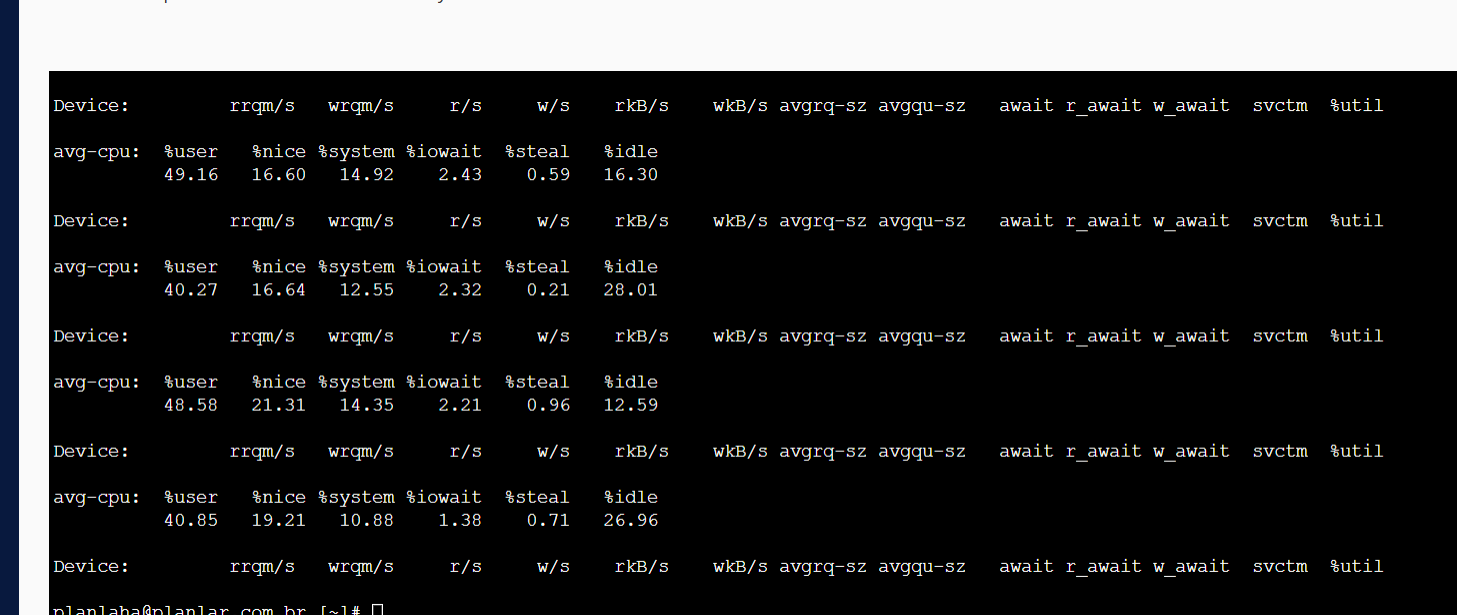
cpu.cfs_quota_us,cpu.cfs_period_us) may be missing in your view. free -hshows node memory (e.g., ~57 GB) and global swap.- During incidents, high swap / contention can slow PHP/Apache even if your account looks “normal”.
4) The key issue: how the plan is sold
The biggest issue is not shared hosting itself. The issue is when sales pages highlight numbers (“6 CPU / 6 GB RAM” + paid add-ons) without clearly stating that these are service-level entitlements, not VPS-grade guaranteed isolation.
If the provider confirms it is shared and subject to node-level variability, the commercial presentation should disclose this prominently.
5) Quick shell checks you can run
These commands help you understand what you’re running on:
nproc
grep -c ^processor /proc/cpuinfo
free -h
cat /proc/self/cgroup
cat /sys/fs/cgroup/cpu/cpu.cfs_quota_us 2>/dev/null || true
cat /sys/fs/cgroup/memory/memory.limit_in_bytes 2>/dev/null || true
iostat -xz 1 5 2>/dev/null || true
6) When a VPS is the right move
If you need predictable performance (guaranteed CPU/RAM, isolated swap, firewall control, PHP-FPM tuning, Redis, etc.), a VPS is usually the better fit.
- You need virtualization-level isolation for what you pay.
- You want controlled scaling and monitoring.
- You want autonomy over the stack and logs.
7) VPS checklist (avoid another trap)
- Real KVM/virtualization (not “shared cloud” marketing).
- NVMe storage and modern CPUs (when promised).
- Snapshots/backups and a simple panel (or managed option).
- Clear email policy: mail on VPS vs external mail provider.
- Cloudflare SSL (Full/Strict) + HTTP/2/3 support.
Conclusion
Shared hosting can be excellent for many sites. The important part is clarity. If the offer is shared and not hard-isolated, it should be explicit at purchase time.
Images / evidence (screenshots)